Sync your bookmarks and your open tabs — without handing them to anyone.
One Manifest V3 extension for Chromium browsers and Firefox,
plus a Windows desktop app for managing every sync profile in one
place. All of it talks to one sync destination, one token and one sync
name — a server you control, or a free no-server alternative if you
don't have one.
Turn on the bookmark sync, the tab sync, or both. They share one endpoint and one bearer token, but each engine namespaces its own file, so they never collide.
Bookmarks — true three-way merge
Syncs your whole bookmark tree (bar + other bookmarks). Adds, edits, moves and
deletes from several devices are merged, not overwritten — the merge
engine is covered by a 115-test suite that specifically guards against silent
data loss.
Tabs — close them, keep them
Closes the tabs you're done with and saves them as a list, freeing the memory they
were holding. Reopen one link, one list, or everything — as ordinary tabs or as a
browser tab group.
Your server, your rules
Self-hosting is a single PHP file with a token you choose. Any server that
answers GET/PUT on ?name=<file>.json
works — the generated script also honours ETag /
If-Match for safe concurrent writes.
Optional end-to-end encryption
One passphrase encrypts both tools with AES-256-GCM in your browser before
anything is uploaded. The passphrase never leaves your device — a host only
ever sees ciphertext in the file's contents.
No server? Two free alternatives
Not realistic to self-host? A private GitHub Gist or a JSONBin.io bin work
too — both meaningfully less private than self-hosting, which is why the
password lock is recommended for either.
Same everywhere you work
The identical extension runs on Chromium browsers and on Firefox — one
codebase, one manifest, two builds — and the Windows Control Panel manages
every profile from the desktop. Whatever you sync from, the file on your
server is the same file.
Source-available, on purpose
Published so it can be audited, not just trusted — a sync tool that touches
your bookmarks, tabs and credentials should be checkable, not a black box.
Won't quietly wipe your bookmarks
Every merge checks how much would disappear against what's actually in your
browser right now. Above twenty bookmarks, if four fifths or more would go at
once, it stops and asks instead of finishing — an accidental mass-delete isn't
silently possible.
One-file setup for your next computer
“Save settings and credentials” makes one encrypted file with your access
code, sync name and password lock already in it — restore it on step 1 of the
next computer's setup and there's nothing left to type by hand.
See it before you install it
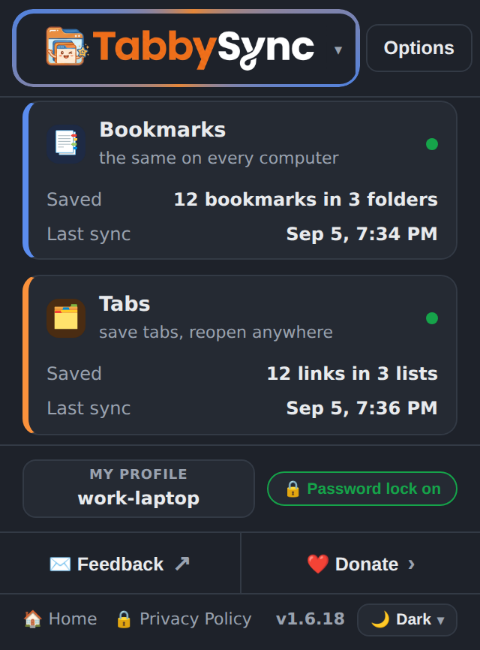
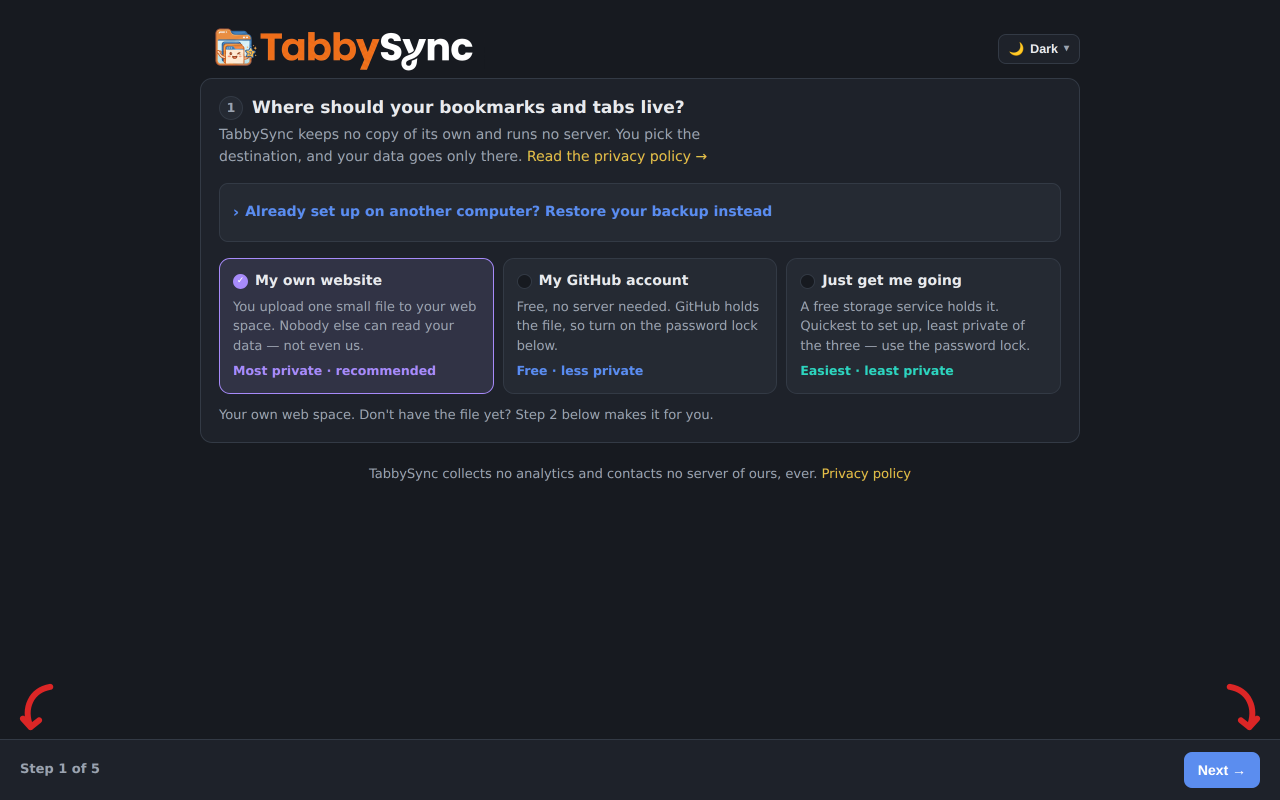
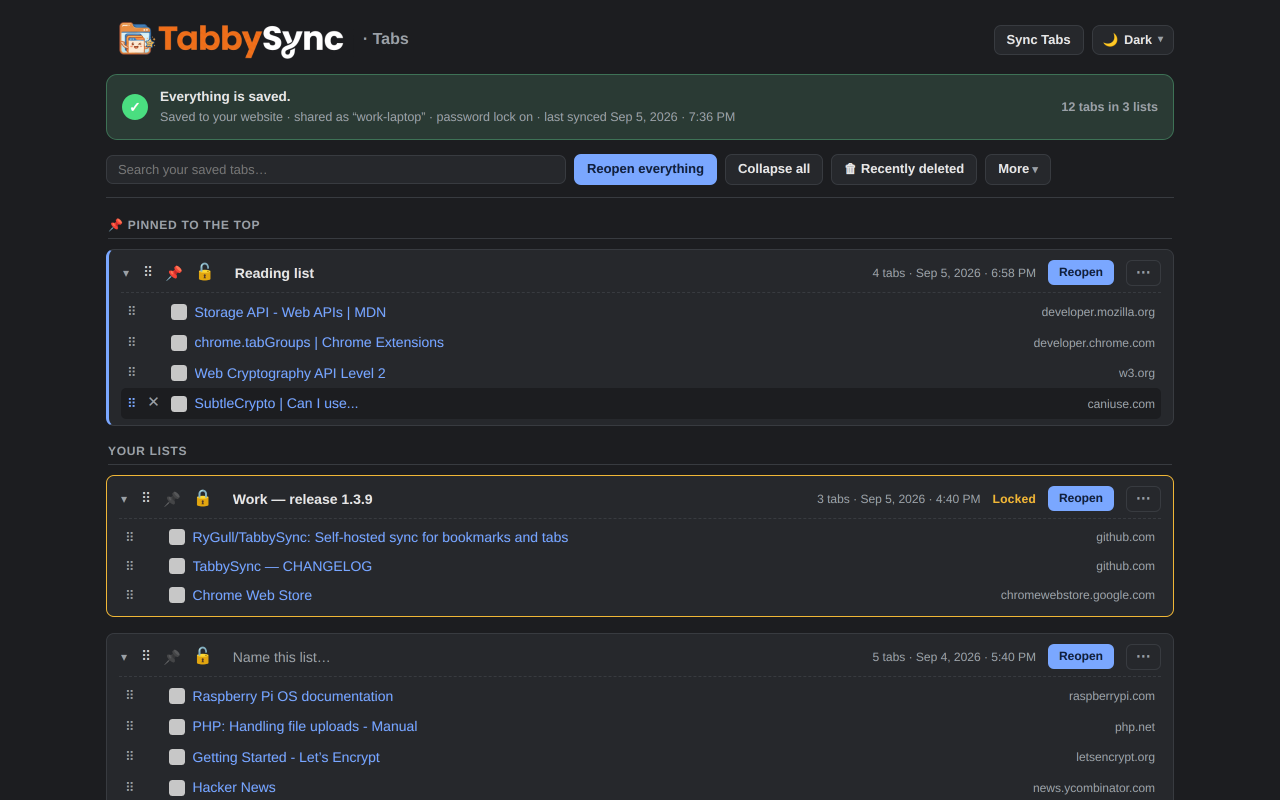
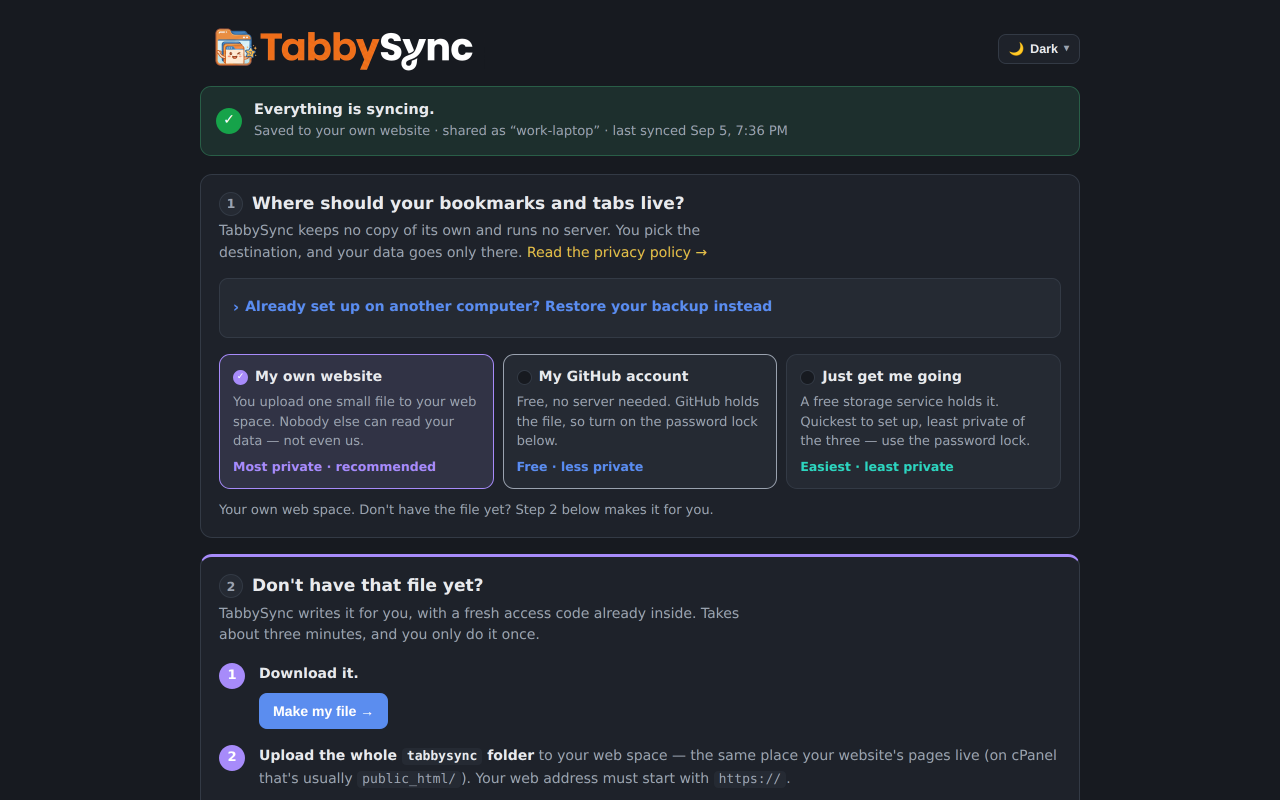
Real screenshots of the extension, not mockups — every one is generated
from the shipping code by scripts/screenshots.mjs. Light and dark follow whichever
theme you're reading this page in.
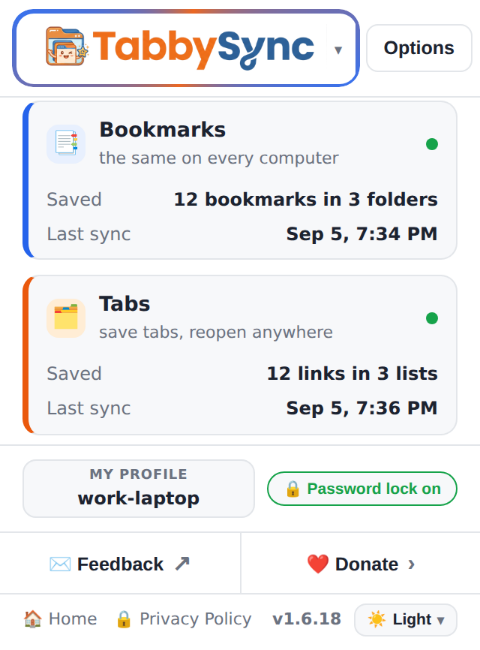
The popup — both engines at a glance
Bookmarks and Tabs each get their own switch, status dot, saved counts and last-sync
time. One click saves every tab in the window; another opens your lists.
Shown: syncing to your own website, with the password lock on.
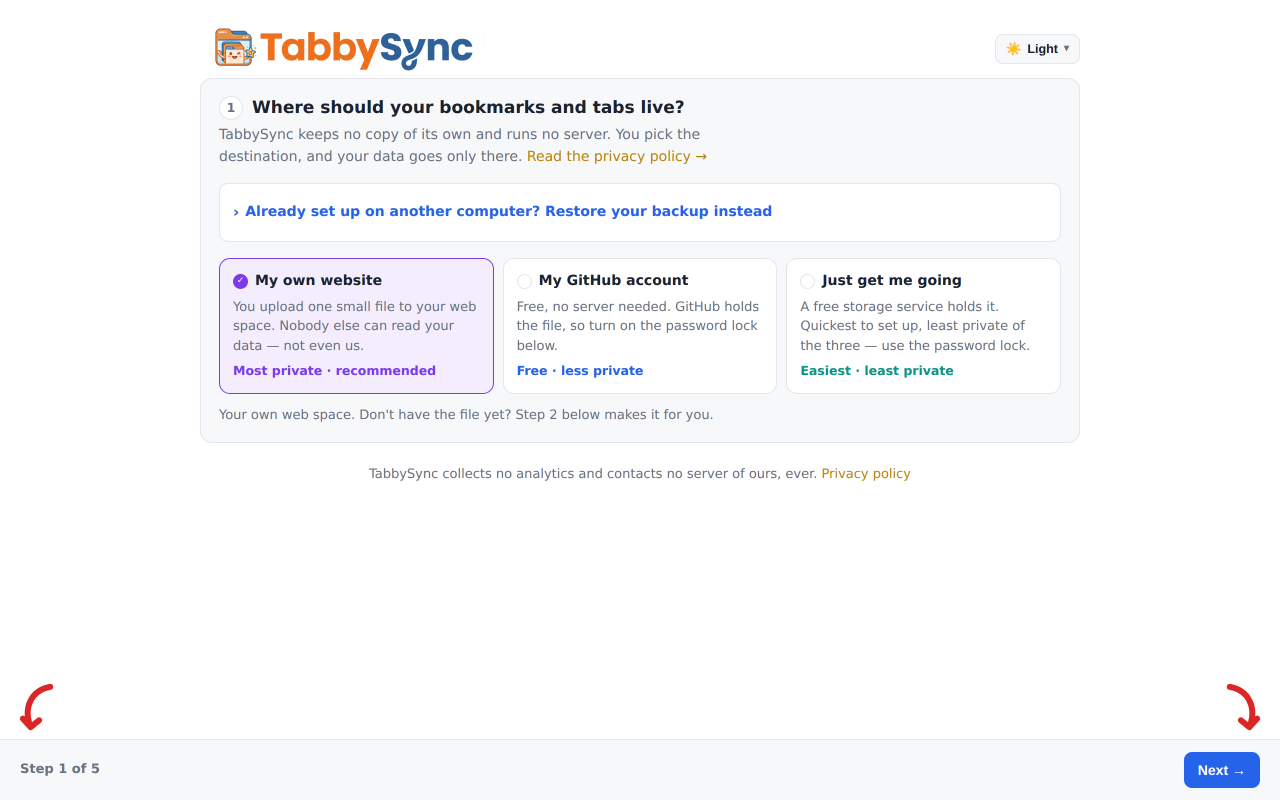
Never set it up before? There's a wizard for that
On a fresh install, the popup shows the same two cards blurred behind two buttons:
Walk me through it, or set it up yourself. The guided path asks the same
questions as the full settings page, one screen at a time, with Back and Next — not a
second, simplified setup to keep in step with the real one. Already set up somewhere else?
Step 1 also takes a settings backup and skips the rest.
Shown: step 1, before anything has been chosen yet.
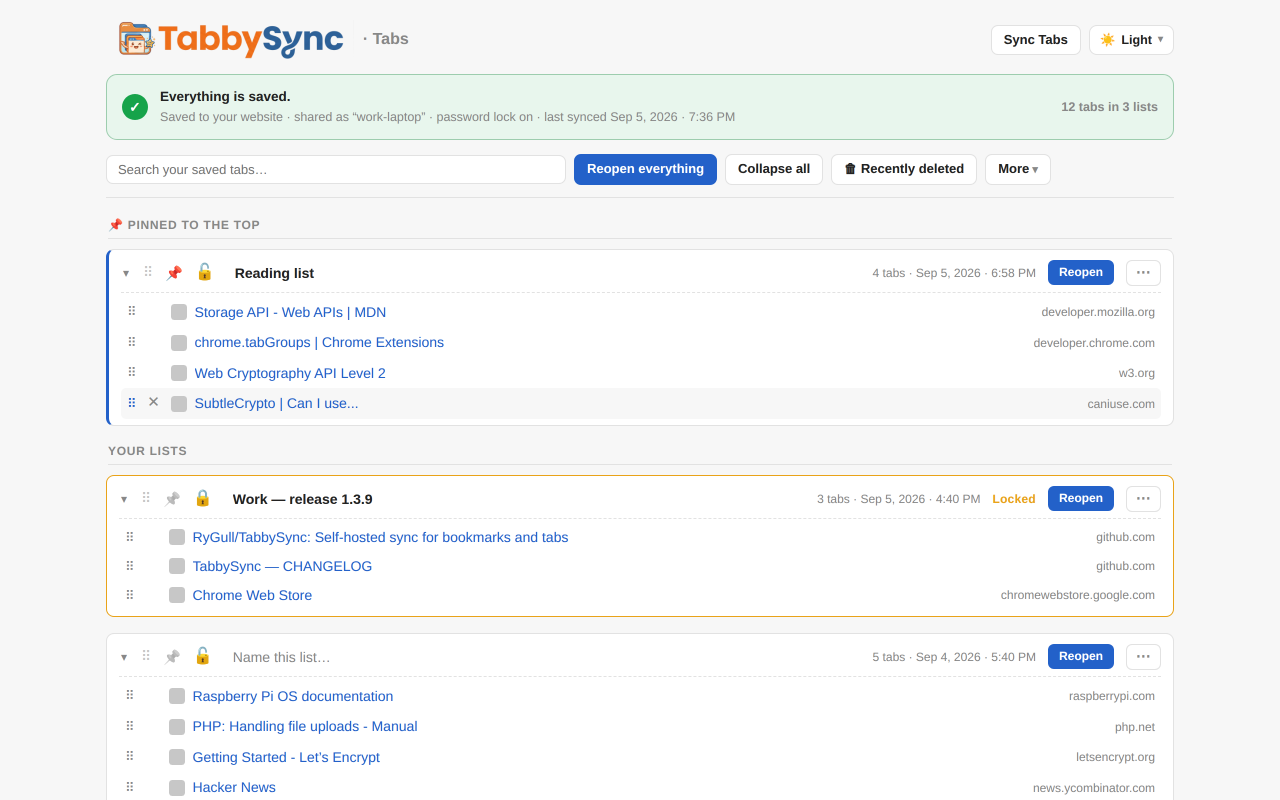
The saved-tabs page — lists you can actually manage
Name a list, pin it to the top, lock it against accidental deletion, search across every
title and URL, drag links between lists, then reopen one link, one list, or everything — as
ordinary tabs or a browser tab group. Reopening a lot of tabs asks first and opens them in
batches you can stop. Anything you delete waits 30 days in “Recently deleted”, and syncs
there too.
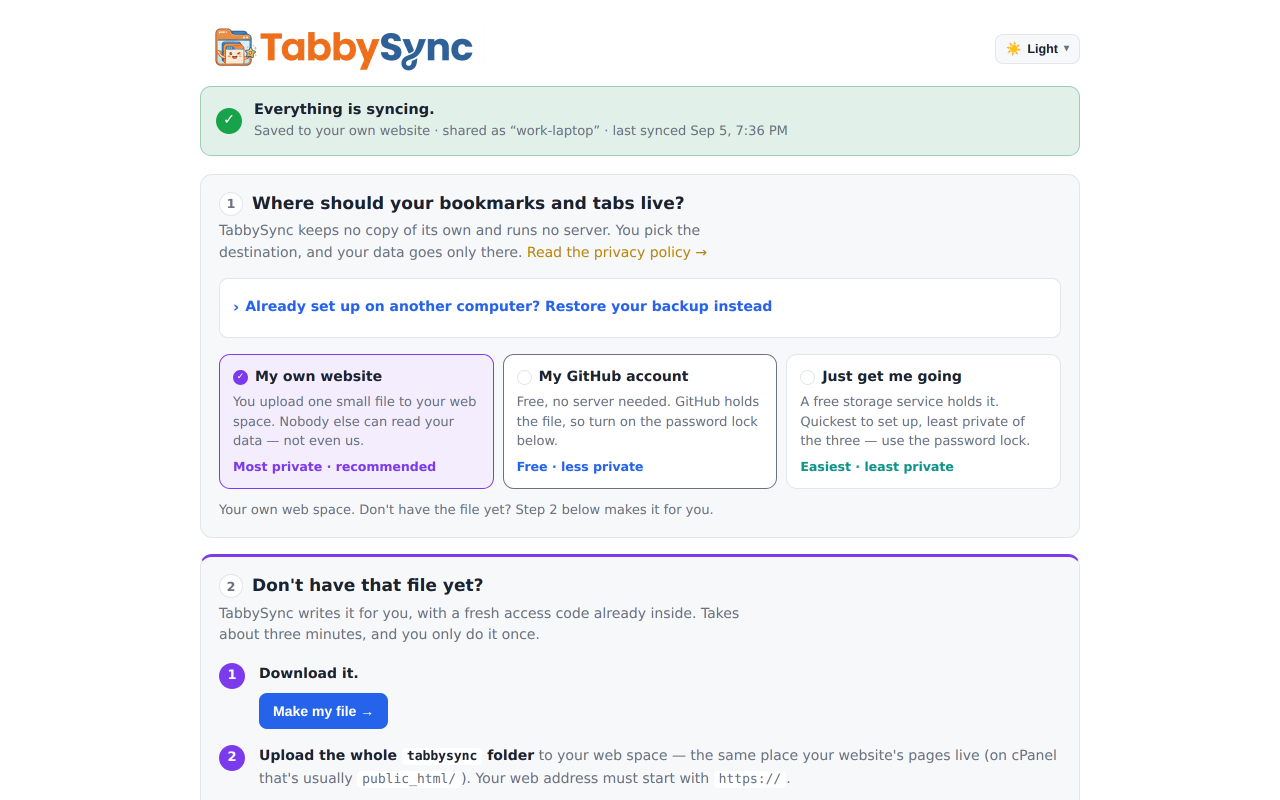
Options — one destination, one token, one sync name
Pick the sync method, paste the server URL and bearer token once, and both engines use
them. The self-hosting card generates the PHP file and its .htaccess guards
with a fresh token already in place.
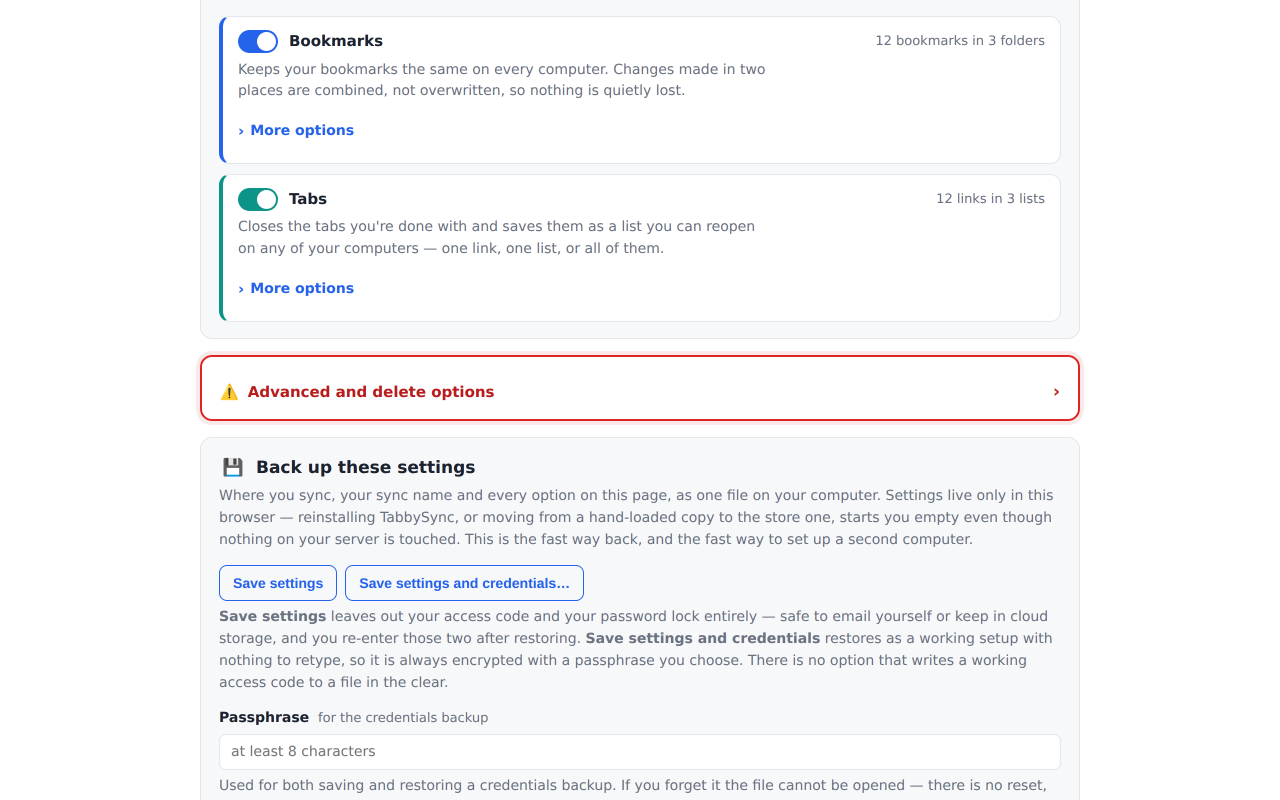
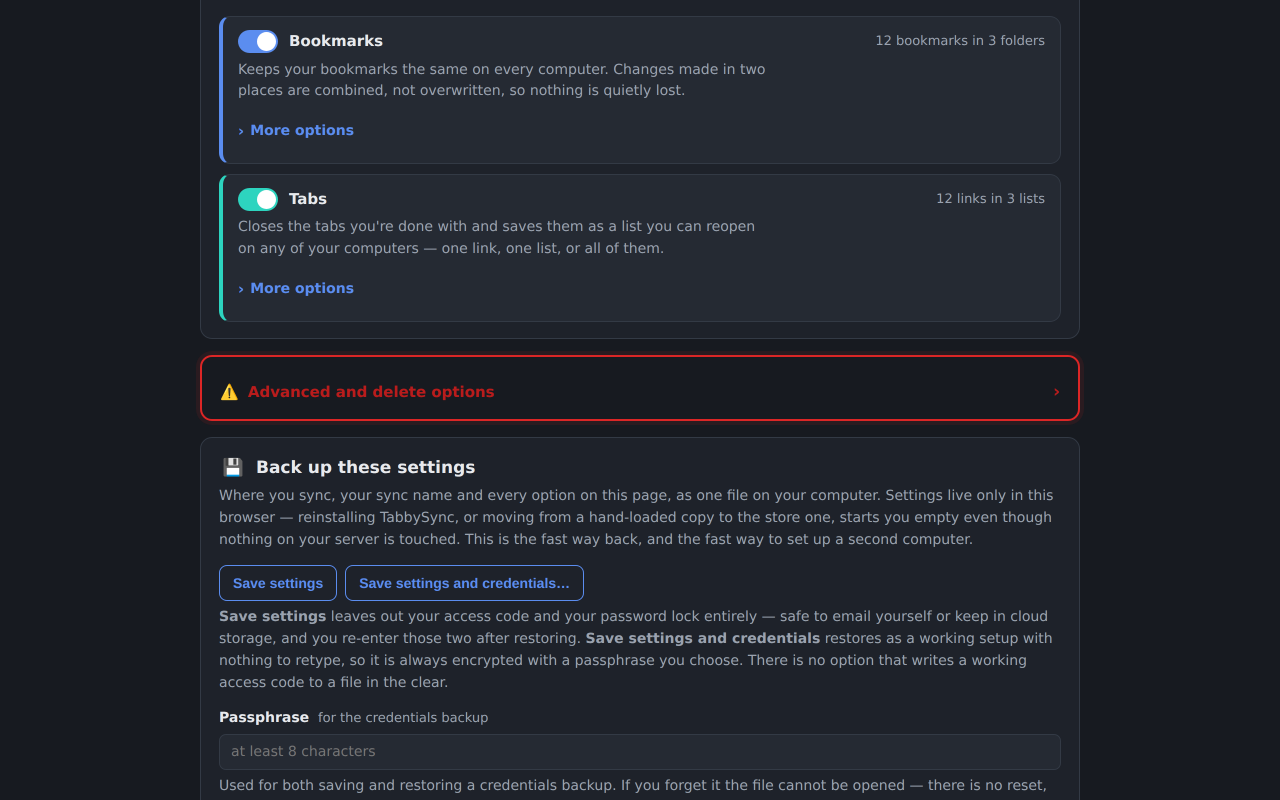
…and a switch for everything each engine does
Separate sync intervals, duplicate handling, reopening behaviour and backups — bookmarks
and tabs are configured independently, each behind “More options”, and either one can be
turned off entirely.
Set up once, sync everywhere
The four steps below, in order — or open the popup on a fresh install
and click Walk me through it for the same four, one at a time.
One click on the Chrome Web Store (Chrome, Edge, Brave, Vivaldi, Opera) or on
Firefox Add-ons. The Windows app is optional and separate — take it if you juggle
more than one sync profile.
Add the extension from the store your browser uses.
Click the TabbySync icon. On a fresh install it offers two ways in:
Walk me through it for a step-by-step guided setup, or set it up
yourself from Settings.
Either way, you're choosing the same thing: a destination — your own server, a
private GitHub Gist, or JSONBin.io.
Chromium: open chrome://extensions, turn on
Developer mode, then Load unpacked → the folder
containing manifest.json.
Firefox: run npm run dev:firefox to build
dist/firefox/ — Firefox needs its own manifest, because the one in the
repository declares a service worker Firefox will not run. Then
about:debugging → This Firefox →
Load Temporary Add-on… → pick that folder's
manifest.json.
An unpacked copy never auto-updates — you pull the repo yourself when a
new version lands. A temporary add-on in Firefox also goes away when Firefox restarts.
Managing more than one sync profile?
TabbySync Control Panel is the companion Windows desktop app —
add, remove, move and copy bookmarks and saved-tab lists across every sync
profile you have (work, personal, a home server…) from one place, without a
browser. Same self-hosted / GitHub Gist / JSONBin destinations, the same merge
and encryption as the extension. It updates itself once installed.
Windows 10/11, 64-bit. Free and source-available under the same license as
the extension, and entirely optional — the extension works fully on its own without it.
Prefer not to run an installer? The release page above also carries a portable
.exe.